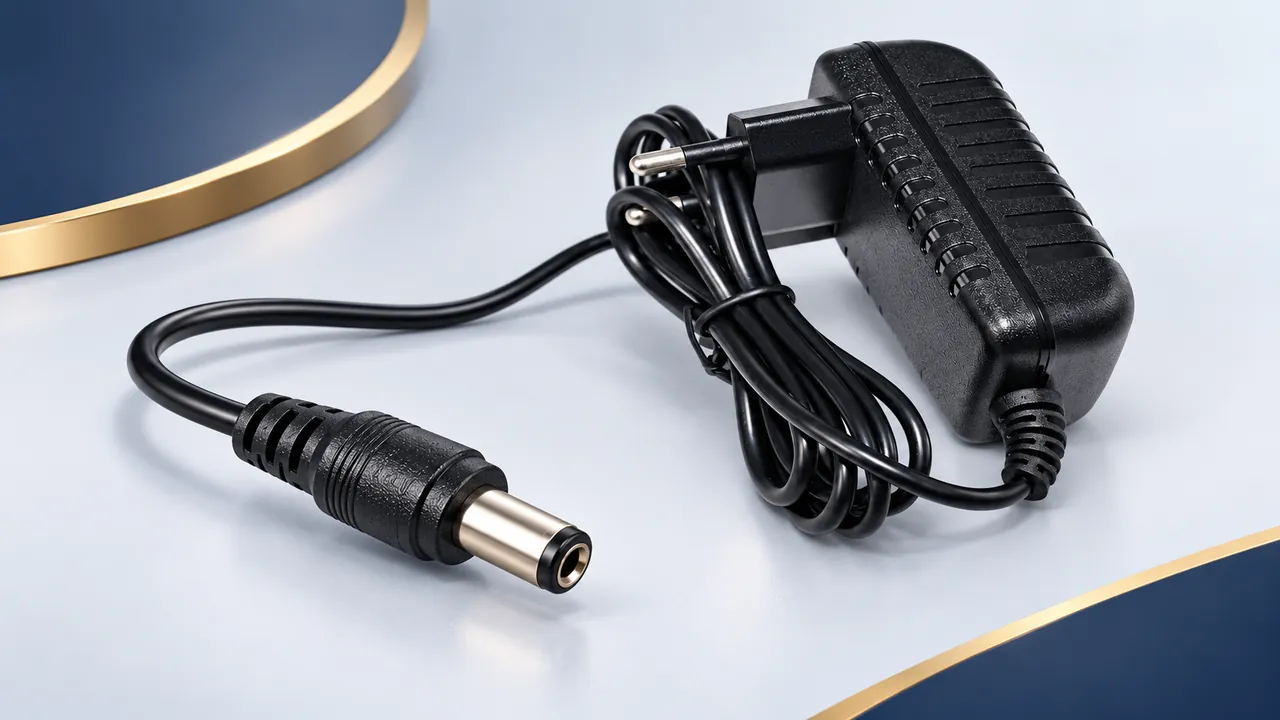
A matching-looking connector is only the start
A clear DC power-lead RFQ specifies both receiving connections, connector dimensions, polarity or pin assignment, the electrical requirement, wire construction and finished length. Add a drawing or equipment reference and state the quantity and delivery destination. This is a more useful request than asking for a cable that looks like a photograph.
Connector appearance alone does not establish the electrical output, polarity or compatibility of an assembly. A lead, an adapter tip, a power supply and a product containing conversion or control electronics are different items to identify. Keep the exact selected product and its function visible throughout the enquiry.
Start with DC, USB and connector leads when looking for a catalogue reference. Use this guide to organise the connection details; final compatibility must follow the actual equipment requirements, cable documentation and agreed configuration.
1. Identify the source and the receiving device
Describe what is at each end of the proposed assembly. One end may connect to a power source and the other to the device being supplied. Name the equipment or provide its interface drawing. If the cable is part of a larger assembly, explain the part it plays rather than sending an isolated connector photograph.
Keep source output information and device input requirements as separate lines in the RFQ. State the relevant voltage and current information from the actual documents. If either side is uncertain, identify the gap and request a review; do not fill it using the values from a visually similar product.
For a replacement enquiry, a photograph of the existing label and connection can help locate the reference, but it should be supported by a dimensional or electrical specification. If the existing unit has been modified, make that known so the modification does not become an unnoticed assumption in the request.
2. Record all relevant barrel-connector dimensions
For a barrel connection, identify the outer diameter, inner diameter and insertion length or other controlling mating length. These are separate dimensions. A request containing only one diameter does not fully describe the mechanical interface.
Use units and identify the measurement points on a drawing. If the equipment has a locking, threaded or otherwise distinctive connection, include those details and the receiving part reference. Do not assume that an ordinary-looking barrel body communicates a locking requirement.
Describe the connector at the other end just as carefully. A cable can use different sizes or different connection families at its two ends. A useful schedule labels them End A and End B, with a separate dimension and connection entry for each.
Where the mating component has a manufacturer drawing, use that reference. It gives the reviewer a defined interface rather than a photograph without scale. Ask for any proposed alternative to be identified clearly, including differences in dimensions or retention features.
3. State polarity explicitly
A barrel connection can be configured with the centre contact positive or with the centre contact negative. The RFQ needs to say which assignment the equipment requires. Do not choose the polarity by appearance or by assuming that a common convention applies to every device.
Include the relevant polarity marking or connection drawing and identify which contact it describes. For the opposite end, show how its conductors or contacts map to the barrel connection. If a label and the drawing disagree, resolve the discrepancy before accepting the assembly as the required configuration.
Wire colours can be part of the agreed identification, but the controlling connection schedule should state the contact assignment. For loose leads, identify which conductor is to connect to each terminal. For a finished assembly, keep the same assignment in the drawing and quotation reference.
This article is an enquiry checklist, not a procedure for energising or testing an unknown device. Where the electrical information is unresolved, obtain the applicable equipment documentation and have the responsible technical team establish the required configuration.
4. Use a pinout for connections with more than two contacts
Not every DC power connection is a simple two-contact barrel arrangement. If the proposed interface has additional contacts, provide the required pin assignment and identify the drawing view. Contact numbers are only useful when the reviewer knows which face and orientation the drawing shows.
Specify the role of each contact using the equipment documentation. Do not assume that extra contacts are duplicates or can be left unconnected. If the request includes sensing, identification, control or another function, retain the source reference and the required mapping in the assembly drawing.
Show any branch or shared connection explicitly. A photograph of a splitter can show the overall shape while leaving the internal connection schedule unknown. Describe the source interface, each output branch and the conductor allocation before comparing offers for a proposed build.
5. Keep a passive lead distinct from a conversion product
State whether you need a connection lead, a mechanical adapter, a power adapter or an assembly with an identified conversion or control function. A change in connector shape does not, by itself, show that the product changes voltage or provides a particular charging function.
For any product that includes electronics, identify the documented input conditions, output conditions and supported operating mode. Use the exact product specification; do not transfer the feature description from a different item with the same visible connector type.
This distinction matters for USB-related enquiries as well. Specify the source, the receiving device and the intended function. If a requested cable relies on a documented conversion or negotiation feature, include that requirement as part of the selected product reference instead of treating it as an automatic property of every USB-to-DC lead.
If the catalogue description leaves this unclear, ask the question before order confirmation. A complete enquiry should make the required function reviewable, rather than leaving the technical team to infer it from a short product name.
6. Define the cable between the connectors
List the required conductor material, nominal size, core count, insulation and outer covering as applicable. Include the installation and exposure conditions that need review. A fully specified connector pair still leaves the wire construction open if these details are missing.
Keep the required electrical information attached to the complete assembly. Do not assign a finished-lead rating merely from the connector body or from an unrelated wire-size table. Ask for the selected product documentation and compare it with the equipment requirement.
For an assembly routed through a confined enclosure, include outside-diameter limits, clamp locations and the available bend space. If it will move or be repeatedly handled, describe that duty. Terms such as soft, flexible or heavy-duty are less useful than a clear description of the actual route and use.
7. Specify orientation, strain relief and length measurement
Identify whether each connector is straight, angled or another defined form. For an angled connector, include its required exit direction relative to the equipment. A right-angle shape may still be unsuitable if it points into an obstruction or prevents access to an adjacent connection.
Describe the available space around the receiving socket and any retention or strain-relief requirement in the equipment design. Include a drawing or photograph with a scale where physical clearance is important. The reviewer can then compare the proposed connector body and cable exit against a defined envelope.
Give finished length in a stated unit and define the measurement points and tolerance. For a branched lead, specify the trunk and each branch separately. If a free wire end is required, include the end preparation details that need to be agreed rather than relying on a single total length.
8. Prepare a connection schedule for the RFQ
| Schedule field | What to include |
|---|---|
| End A | Source or receiving interface, connector dimensions, retention and orientation. |
| End B | Device interface, connector dimensions, retention and orientation. |
| Electrical mapping | Polarity or complete pinout, drawing view and conductor identification. |
| Product function | Connection lead, adapter, power supply or documented conversion/control function. |
| Cable and length | Wire construction, finished length, tolerance, branches and end preparation. |
| Request details | Product reference, quantity, destination and any sample or document requirement. |
This schedule can be brief. Its purpose is to separate details that are often collapsed into one informal description. Mark open items as questions, and ask for alternatives to be compared against the same reference rather than accepting a statement that the connector looks equivalent.
9. Check samples and the quoted build against one reference
If a sample is requested, state whether the review concerns fit, orientation, wire routing, connection assignment or another defined detail. Keep the sample configuration tied to the drawing revision. Availability, minimum quantity, sample charges and timing need confirmation for the actual enquiry.
Before an order is confirmed, compare the quotation with the connector schedule and cable specification. Check polarity or pinout, both dimensions, cable construction, length, orientation and any conversion-related function that forms part of the request.
When a detail changes, identify the change and ask for its effect on the offer to be reviewed. An updated connector or a new length can create a different assembly reference. Keep the accepted change visible in the final record instead of relying on a collection of informal messages.
Common DC lead enquiry questions
If the plug fits, is the cable compatible?
Physical fit is only one check. Confirm polarity or pin assignment, the electrical requirements, the cable construction and the actual product function. Use the receiving equipment documentation and selected assembly specification.
Can a connector adapter be assumed to change the voltage?
No. Identify whether the selected product has a documented conversion function. A mechanical connection change alone is not evidence of the required electrical output.
What if the product image shows a different plug size?
Identify the discrepancy and specify the required dimensions in writing. Some images show a series of options. The actual configuration should follow the confirmed drawing and selected product reference.
Send both connection details together
Browse DC and connector lead options, then prepare End A, End B, polarity or pinout, the electrical requirement and finished length. The selection checklist and RFQ guide cover the remaining enquiry details. Contact Relia Cables with the selected reference, drawing, quantity and destination for a configuration review.
Technical background: Power-connector identification background. This general reference does not establish a rating, approval or available configuration for a Relia Cables product; check the selected product documentation.