Specify the complete cable, not only the shield
A clear shielded multicore cable enquiry identifies the conductor arrangement, nominal size, insulation, shield construction, outer sheath, installation conditions and termination requirements. The word shielded is a starting point. It does not describe the number of circuits, the mechanical duty or how the cable connects to the equipment.
For a purchasing team, the useful task is to keep those details in one controlled reference. A cable can look similar in a catalogue while differing in core arrangement, outside diameter or shielding. Use the checklist below to compare the selected constructions and prepare an RFQ that your technical and purchasing teams can review together.
Begin with the control, shielded and multicore cable range. Treat the application and product pages as discovery routes, then retain the exact selected specification in the enquiry. Project requirements and the actual product documentation remain the basis for final selection.
1. Describe the circuit and the equipment
Start the RFQ with a short description of what the cable connects. Identify the equipment at both ends, the function of the circuits and the installation location. A control connection inside a panel is a different request from a cable routed through a moving machine. A broad phrase such as industrial signal cable leaves both the electrical and mechanical requirements open.
If a project drawing or equipment specification already controls the cable, attach it and identify the revision. Note which requirements are mandatory and which are preferences. This helps prevent a proposed alternative from being compared only on a familiar title or a photograph.
Include the destination market and any applicable project document list. Do not use a general market label as a substitute for an exact standard, certificate or test requirement. If a document is needed for approval, name the document and the construction it must cover.
2. Separate core count from pair arrangement
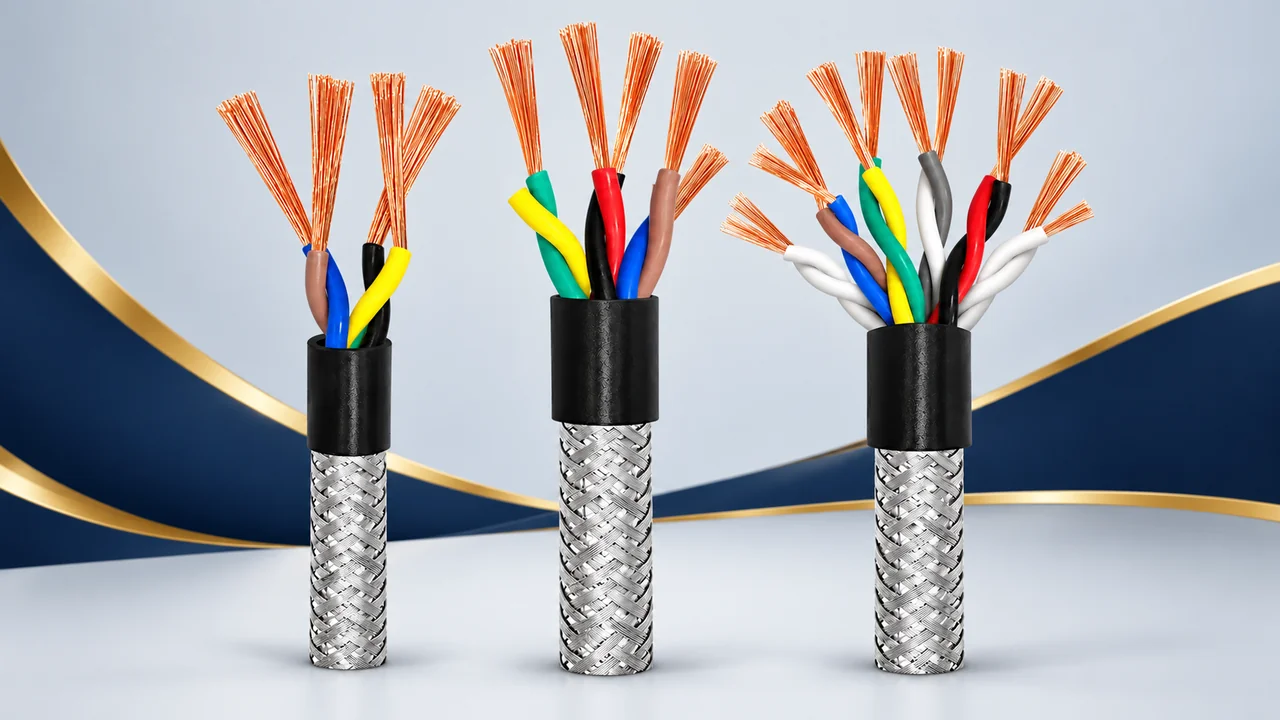
State how many conductors are required and whether any conductors must be arranged as pairs. A total conductor count and a pair schedule describe related but different parts of the request. Include any identification requirement, such as numbered cores, colours or a connection schedule, without assuming that the visible sample image establishes the final arrangement.
A useful schedule lists each circuit, its assigned conductors and its termination at each end. Where a protective conductor is required by the design, make that requirement explicit. Keep spare conductors and unused contacts visible in the schedule instead of leaving their treatment to an assumption.
For a mixed construction, specify each group separately. If one group has a different size, insulation or shield requirement, show it as a distinct line. An unqualified description such as several pairs plus power cores is difficult to compare against a proposed cable drawing.
3. Keep conductor size and cable diameter apart
Record nominal conductor size in the required AWG or mm² notation. Add the conductor material and solid or stranded construction required by the design. If strand detail is important, include the controlling specification rather than substituting a general word such as flexible.
Outside diameter is a separate mechanical dimension. Include a diameter limit if the cable passes through a gland, conduit, clamp or connector backshell. State any relevant tolerance and identify whether the dimension applies before or after an outer covering.
When comparing alternatives, keep the same measurement basis for every candidate. A larger-looking cable does not, by itself, establish a larger conductor or a more suitable shield. The AWG and mm² enquiry guide explains how to keep nominal size and overall dimensions clear in a purchasing request.
4. Identify the shield arrangement you are asking for
Shield constructions can include wire braid, foil or combinations of shielding layers. The RFQ should identify the selected construction rather than treating every screened cable as the same item. If the project calls for an overall shield, individual pair shields or both, put that distinction in the drawing or specification.
Where the design includes a drain wire, specify the required construction and connection details. If shield coverage or another measurable characteristic is mandatory, state the value and the reference document that defines it. Do not infer these details from the surface texture of a cutaway image.
The equipment design also needs a defined shield connection. Ask the responsible engineering team to identify the required termination arrangement and the receiving hardware. This guide does not prescribe one grounding method for every circuit. Cable construction, connector design and the installation requirements need to be considered together.
5. Define insulation, sheath and exposure
Keep core insulation and outer sheath as separate entries. Provide the selected material references and the conditions the project requires them to meet. A material family name does not replace the specification for the finished cable.
Describe relevant exposure: temperature, moisture, sunlight, oil, cleaning agents or other conditions identified by the project. Distinguish normal operation from installation or storage conditions if those are different. Ask for the actual product documentation where a particular condition is decisive.
For any required fire, smoke, environmental or other classification, state the exact reference and the required evidence. Do not transfer a claim from a neighbouring product or assume that all sizes within a family share the same scope. Keep the document request attached to the selected construction and destination requirements.
6. Explain movement and routing
Say whether the cable is fixed, occasionally repositioned or subjected to repeated motion. If motion is involved, describe the route, bend pattern, travel and any torsion that the design must accommodate. The technical team can then compare the request with the cable documentation instead of relying on the word flexible.
Include space constraints at entries, clamps and connections. A drawing of the route can show details that are difficult to communicate through an overall length alone. For a finished assembly, identify where the length is measured and whether connector bodies are included.
Do not invent a bend radius or movement-life expectation from another cable in the same broad category. Provide the requirement and ask whether the selected construction supports it. Installation limits and acceptance criteria should come from the applicable product and project records.
7. Put termination information beside the cable specification
A bulk cable request and a terminated assembly request need different end details. For bulk cable, specify the supplied length, identification and packing information you need reviewed. For an assembly, add the connectors, contact assignment, strip lengths where applicable, shield treatment and cable exit direction.
Check both ends separately. A photograph of one connector is insufficient when the other end has a different interface or wiring arrangement. Include the receiving connector or equipment inlet reference, and identify the view used by the pinout drawing so that contact numbering is unambiguous.
For branches, describe the trunk, every branch length and the conductor allocation. Keep any requested labels or assembly identification in the same controlled drawing. The custom cable enquiry page provides a route for submitting this information for review.
8. Use a comparison table for candidate cables
| Specification line | What your RFQ should state |
|---|---|
| Application | Equipment, circuit function, route and fixed or moving duty. |
| Conductors | Material, nominal size, construction, total count and pair arrangement. |
| Shield | Overall or individual shielding, selected construction and connection requirements. |
| Insulation and sheath | Material references, relevant exposure, diameter and required documents. |
| Assembly | Connections, pinout, length measurement, branches and drawing revision. |
| Commercial request | Quantity, destination, sample purpose and requested delivery date. |
Leave an unresolved line clearly marked as a question. A visible gap is more useful than an assumed answer that later appears to be part of the agreed specification. Ask for proposed alternatives to be identified against the same table, including any differences that need engineering approval.
9. Review the sample and document request deliberately
If a sample is needed, explain its purpose: checking fit, reviewing the construction, confirming a termination or another defined task. State the sample configuration and the evidence you expect to review. A sample without an agreed reference can leave the same ambiguity as a catalogue photograph.
Minimum quantities, sample availability, charges and timing are confirmed for the actual enquiry. Include the requested production quantity separately from any sample quantity. If several configurations are required, list them individually so that an offer can refer to the right build.
Before an order is confirmed, compare the quotation, specification and drawing revision. Ensure that any accepted alternative and any document requirement are recorded consistently. Do not let an informal description in an email replace the final agreed technical reference.
Common questions before sending the RFQ
Is a cable described as shielded automatically suitable for my equipment?
No. Match the selected construction, circuit arrangement, movement conditions, interfaces and required documentation to the project. The category name helps you find candidates; it is not the final compatibility decision.
Can I request a different core count or finished length?
Include the requested configuration and quantity for review. Identify whether it is a catalogue option or a proposed change. Feasibility and commercial conditions are confirmed for the actual request rather than assumed from another listing.
What should I do if a series image shows a different arrangement?
Highlight the difference in the enquiry and state the required build. Series illustrations are references; the actual configuration should be tied to the confirmed drawing and selected specification.
Prepare the next enquiry
Bring the product link, completed specification, drawing revision, quantity and delivery destination together. Browse shielded and multicore cable options, use the RFQ guide to check the commercial information, then send your requirement to Relia Cables. Keeping one clear reference makes the proposed configuration easier to review and compare.
Technical background: Shield-construction background. This general reference does not establish a rating, approval or available configuration for a Relia Cables product; check the selected product documentation.